Integration in Grafana
Prometheus
Prometheus export
Blocky can optionally export metrics for Prometheus.
Following metrics will be exported:
| name | Description |
|---|---|
| blocky_build_info | Version number and build info |
| blocky_denylist_cache_entries | Gauge of entries in the denylist cache, partitioned by group |
| blocky_allowlist_cache_entries | Gauge of entries in the allowlist cache, partitioned by group |
| blocky_error_total | Counter of total queries that ended in error for any reason |
| blocky_query_total | Counter of total queries, partitioned by client and DNS request type (A, AAAA, PTR, etc) |
| blocky_request_duration_seconds | Histogram of request duration, partitioned by response type (Blocked, cached, etc) |
| blocky_response_total | Counter of responses, partitioned by response type (Blocked, cached, etc), DNS response code, and reason |
| blocky_client_response_total | Counter of query outcomes, partitioned by client and response type (Blocked, cached, etc); failed requests are counted as response_type="err" |
| blocky_blocking_enabled | Boolean 1 if blocking is enabled, 0 otherwise |
| blocky_cache_entries | Gauge of entries in cache |
| blocky_cache_hits_total | Counter of the number of cache hits |
| blocky_cache_misses_total | Counter of the number of Cache misses |
| blocky_last_list_group_refresh_timestamp_seconds | Timestamp of last list refresh |
| blocky_prefetches_total | Counter of prefetched DNS responses |
| blocky_prefetch_hits_total | Counter of requests that hit the prefetch cache |
| blocky_prefetch_domain_name_cache_entries | Gauge of domain names being prefetched |
| blocky_failed_downloads_total | Counter of failed list downloads |
| blocky_dnssec_validation_total | Counter of DNSSEC validations, partitioned by result (secure, insecure, bogus, indeterminate) |
| blocky_dnssec_cache_hits_total | Counter of DNSSEC validation cache hits |
| blocky_dnssec_validation_duration_seconds | Histogram of DNSSEC validation duration, partitioned by result |
| blocky_redis_cache_buffer_drops_total | Counter of cache writes dropped because the Redis write-through buffer is full — non-zero values indicate Redis cannot keep up with cache writes |
| blocky_rate_limit_drops_total | Counter of queries dropped by the rate limiter, partitioned by protocol |
| blocky_rate_limit_cap_exhausted_total | Counter of queries dropped because the rate limiter bucket store was full |
| blocky_rate_limit_active_buckets | Gauge of token buckets (≈ distinct clients) currently tracked by the rate limiter |
| blocky_dnstap_frames_dropped_total | Counter of dnstap frames dropped because the internal buffer is full - non-zero values indicate the collector is slow or unreachable |
reason label for blocked responses
To keep the reason label of blocky_response_total bounded, blocked responses use the matched
group names only (e.g. BLOCKED (ads)), not the matched rule. The full reason including the
matched rule (e.g. BLOCKED (ads: *.docler.com)) is still available in the query log.
This avoids unbounded metric cardinality when large deny lists are used.
client label cardinality
The client label (used by blocky_query_total and blocky_client_response_total) is derived
from a reverse DNS lookup and is not bounded by configuration — it grows with the number of
distinct devices Blocky has seen. On networks with a stable, limited set of devices (a typical
home LAN) this stays small, but on networks with high device turnover (e.g. public or guest Wi-Fi)
the set of client label values can grow effectively unbounded over time. Consider this before
scraping/retaining these metrics on such networks.
Blocky has no option to drop the label yet, so the mitigation is on the Prometheus side: drop the affected metrics at scrape time when you do not need the per-client breakdown.
metric_relabel_configs:
  - source_labels: [__name__]
    regex: "blocky_(query|client_response)_total"
    action: drop
Dropping only the client label (labeldrop) does not work: the remaining series of the
different clients collapse into one, and Prometheus rejects the scrape with a duplicate-sample
error.
response_type values of blocky_client_response_total
The counter is incremented once per query that reaches the metrics resolver, so it sums to
blocky_query_total rather than to blocky_response_total — the latter counts only successful
responses. Requests that produced no response at all are recorded as response_type="err", which
is not one of the regular response types.
FILTERED and NOTFQDN never appear: the filtering and fqdnOnly resolvers answer those
queries above the metrics resolver in the chain, so they are missing from blocky_query_total,
blocky_response_total and blocky_request_duration_seconds as well. The query log sits below
them in the chain too, so those queries are only visible in the statistics.
Example — per-client rate of queries that were actually resolved rather than blocked:
sum by (client) (rate(blocky_client_response_total{response_type!~"BLOCKED|REBIND|err"}[5m]))
Grafana dashboard
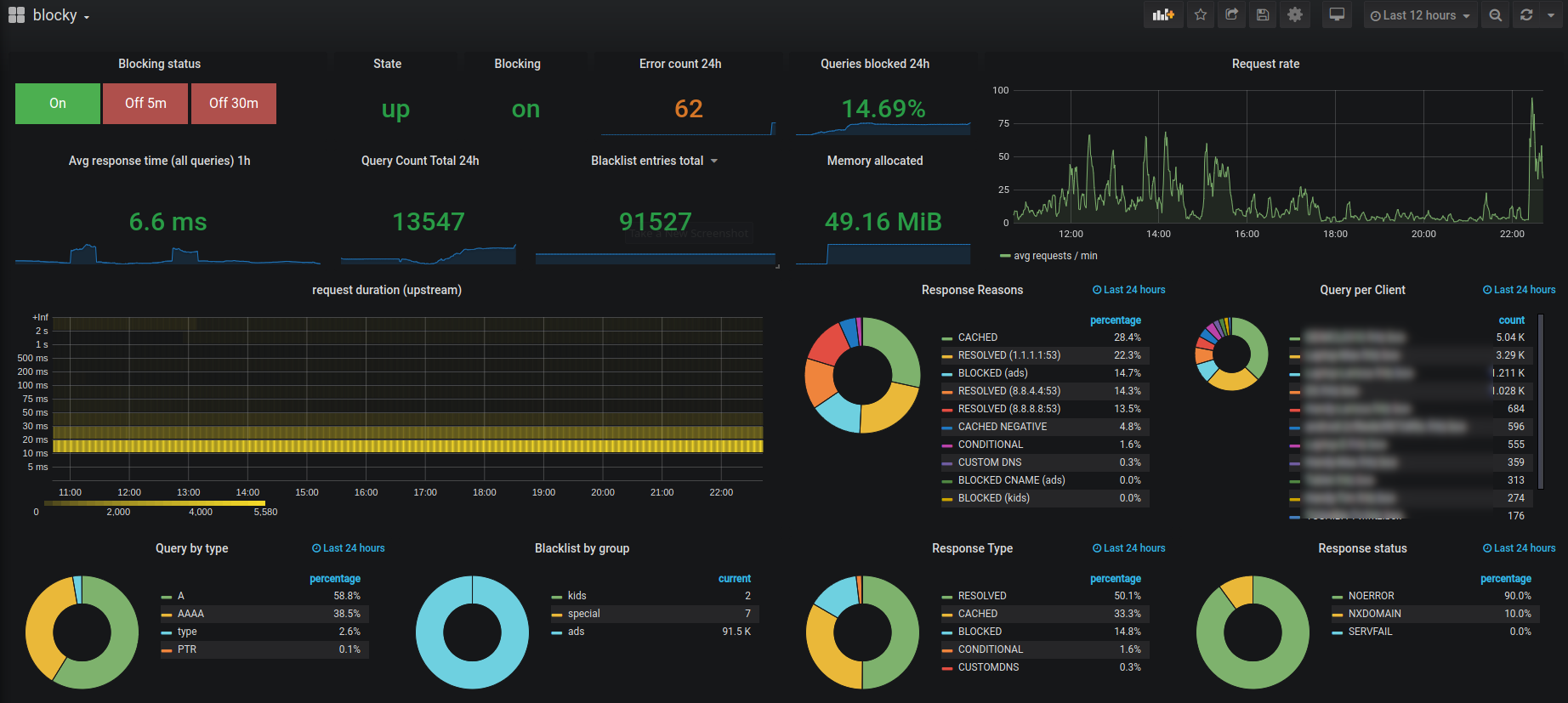
Example Grafana dashboard
definition as JSON
or at grafana.com
 .
.
The dashboard is organized in sections (overview, traffic, latency, blocking & lists, cache & prefetching, DNSSEC, rate limiting, Go runtime) and uses only Grafana core panels, so no additional plugins are needed. The "Blocking control" buttons in the overview section enable or temporarily disable blocking via the blocky API.
When importing the dashboard, set the "blocky API URL" input to the address under which your browser can reach the
blocky HTTP API (e.g. https://blocky.example.com or http://192.168.1.2:4000) — it is used by the blocking
control buttons.
Requirements
- Grafana 10.2 or newer: the blocking control buttons use canvas button elements with API calls. All other panels also work with older Grafana versions.
- blocky newer than v0.31 if Grafana is served from a different origin than the blocky API: older blocky versions reject the CORS preflight which Grafana sends for the blocking control buttons. Alternatively, expose the blocky API on the same origin as Grafana through your reverse proxy.
Grafana and Prometheus example project
This repo contains example docker-compose.yml with blocky, prometheus (with configured scraper for blocky) and grafana with prometheus datasource.
MySQL / MariaDB
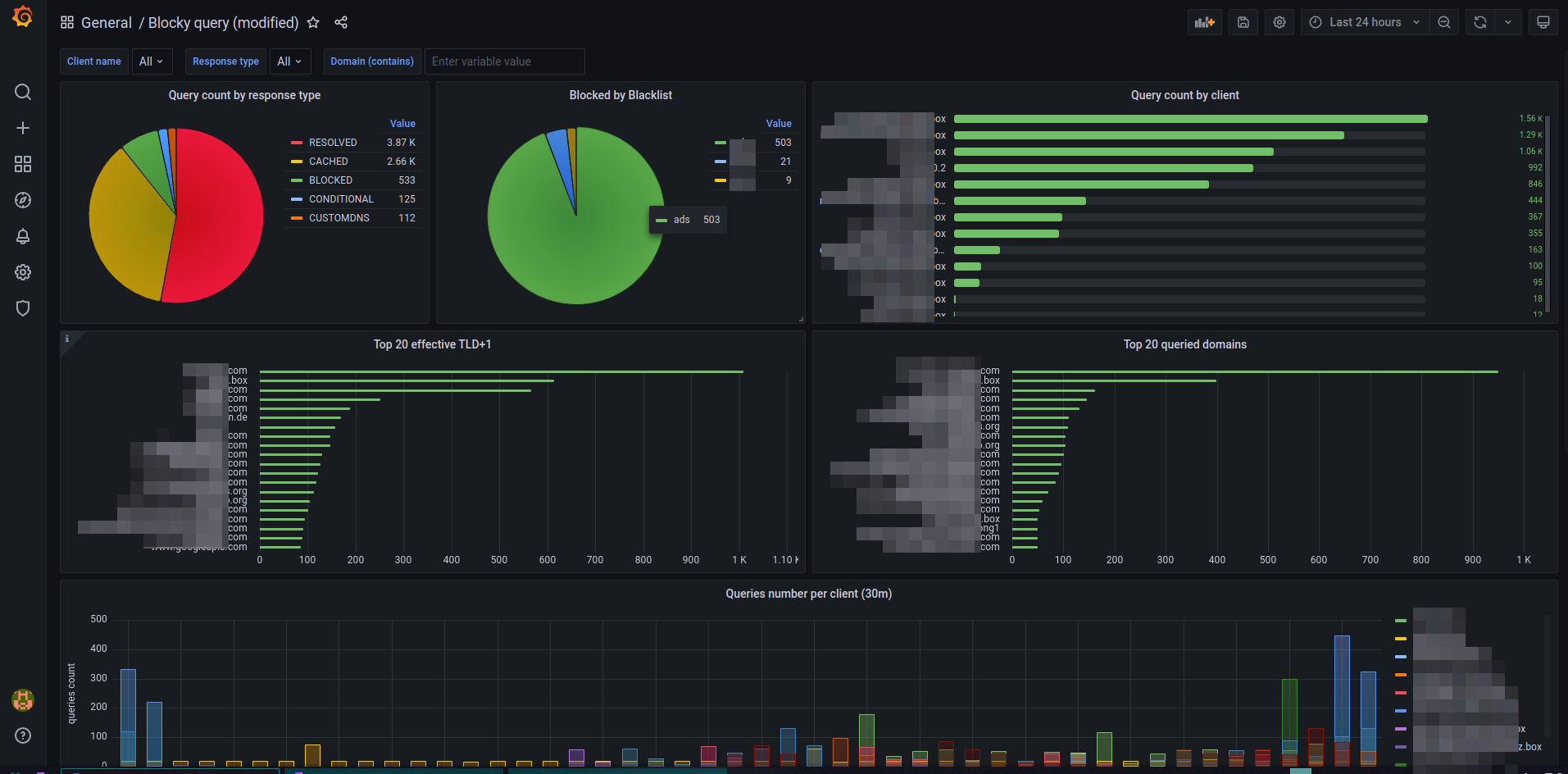
If database query logging is activated (see Query logging), you can use following Grafana Dashboard as JSON or at grafana.com
 .
.
Please define the MySQL source in Grafana, which points to the database with blocky's log entries.
Postgres
The JSON for a Grafana dashboard equivalent to the MySQL/MariaDB version is located here